Typefully Review 2026: AI Social Scheduling for Creators
Typefully Review 2026: AI Social Scheduling for Creators
Typefully began as a Twitter scheduling tool and has grown into a multi-platform writing and publishing workspace for text-first creators, founders, and marketing teams. This review examines what it does well, where it falls short, who it fits, and how it compares with alternatives so you can decide whether it belongs in your stack.
What Typefully is and who it is for
Typefully Review 2026: AI Social Scheduling for Creators - What Typefully is and who it is for.
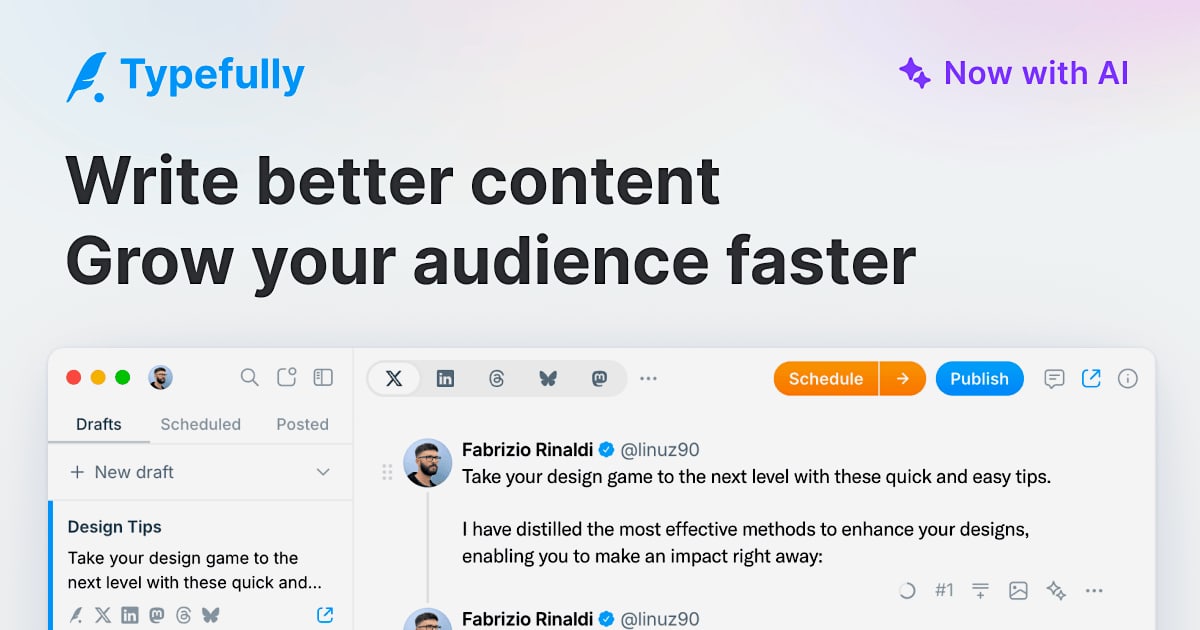
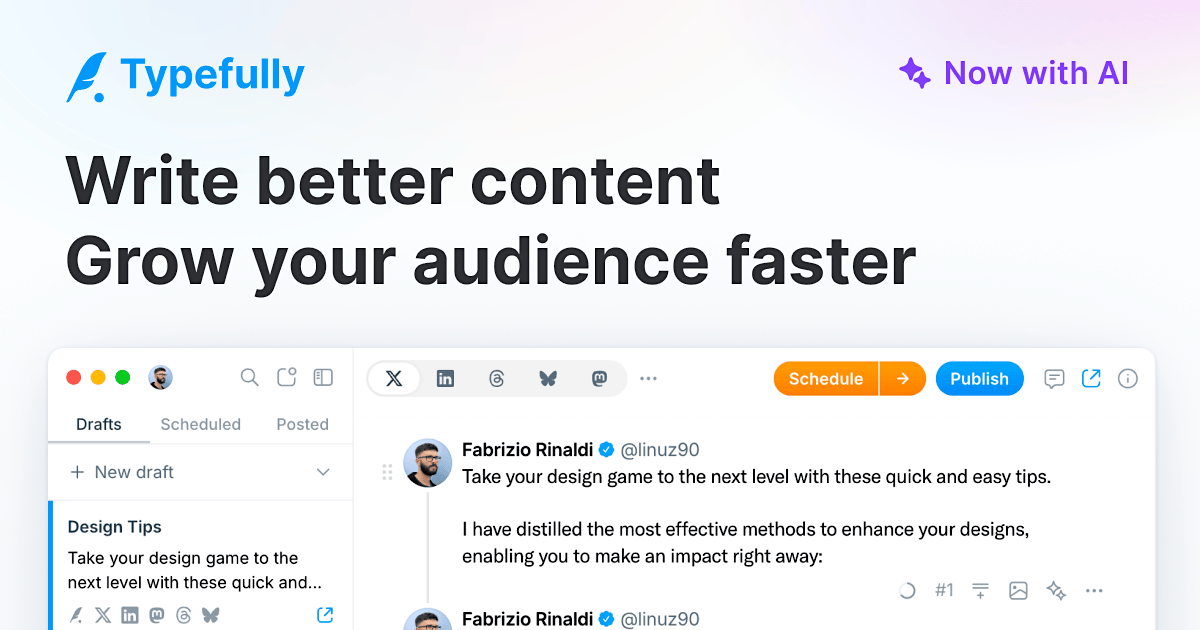
Typefully is an AI-powered, collaborative social media scheduler. It provides a focused, high-fidelity editor for drafting posts, threads, and updates, then publishes or schedules them across X (Twitter), LinkedIn, Bluesky, Threads, and Mastodon. Cross-posting to multiple platforms at once is a core workflow.
The product is positioned as a social workspace for humans and agents, with collaboration features like comments, @mentions, and shared drafts. AI tools that understand your voice help brainstorm, rewrite, and expand drafts, and a Command Bar handles quick actions. Typefully reports over 10,000 customers and offers an official Claude connector, a robust API, Zapier integration, an MCP server, and webhooks for automation.
Ideal users:
- Text-first creators and solopreneurs building an audience through written posts and threads.
- Founders and marketers who want one clean place to write, schedule, and cross-post.
- Small teams and ghostwriters who need shared drafts, comments, and permission controls.
- Automation-minded operators who want API, webhook, or MCP access.
Poor fits:
- Visual-first creators focused on Instagram, TikTok, or Pinterest, which are not supported.
- LinkedIn-first creators who need deep LinkedIn analytics (more on this below).
- Anyone expecting polished AI output from day one with no existing post history.
Core features tested
The writing editor
The distraction-free editor is Typefully's strongest asset. There are no algorithmic nudges or trending-topic sidebars, just a clean space to write with pixel-perfect previews so what you see matches what publishes. A dedicated Mac app extends the focused workflow off-browser.
AI writing assistant
The Writing Assistant lives inside the editor and can rewrite for clarity, continue a stuck draft, generate post ideas from previous content, and adapt posts per platform. A personality slider shifts tone between Professional, Friendly, and Unhinged, and a reasoning toggle trades latency for better output.
One important caveat: the AI improves as it learns from your content. Early output can feel generic until it has enough of your posts to work with. If you are brand new, budget a warmup period before judging quality. AI features are locked behind paid plans.
Thread and long-form tools
For X specifically, Typefully offers auto-numbering with configurable style and position, plus a Thread Finisher that adds a closing post quoting the first tweet to prompt engagement. A writing prompt library and AI-generated suggestions help with blank-page paralysis.
Cross-platform publishing
Write once and publish to X, LinkedIn, Bluesky, Threads, and Mastodon simultaneously, with per-platform toggles and customization before publishing. Typefully uses a Social Sets model: a collection of accounts for one person or brand. The Free plan includes one Social Set, Creator includes 20, and Agency goes up to 50.
Scheduling and automation
Manual scheduling, drag-and-drop calendar management, one-click queuing, optimal time suggestions, and auto-repost for evergreen content are all available. For X growth specifically, Typefully includes auto-retweet, auto-plug, auto-reply, and auto-DM tools, with smart details like 24-hour auto-removal of retweets.
Collaboration
Draft sharing, commenting, and permission controls work cleanly on Team and Agency plans. Solo creators will find this less relevant, but teams and ghostwriters get a genuinely useful review workflow.
Analytics
X analytics are detailed and well-presented. LinkedIn analytics do not exist yet, which is a significant gap for a tool positioning itself as a LinkedIn publishing option. If LinkedIn is your primary channel, you cannot build a content strategy on a tool that cannot tell you what is working there.
Pricing signals
Typefully Review 2026: AI Social Scheduling for Creators - Pricing signals.
Typefully uses a subscription model with a free tier. Based on the product context and third-party testing, the free plan is functional for testing but not for sustained use, and AI features require a paid plan. Reported plan structures include a Creator tier around $12.50 per month and an Agency tier around $79 per month, with Team plans in between. Social Set limits scale by tier: 1 on Free, 20 on Creator, and up to 50 on Agency.
Treat these figures as directional. Pricing and feature gating change, so verify current numbers on Typefully's pricing page before committing. The value case is strongest for creators who post frequently across multiple text platforms and will actually use the AI and automation features.
Setup and onboarding

Typefully Review 2026: AI Social Scheduling for Creators - Setup and onboarding.
Setup is straightforward: create an account, connect your social accounts into a Social Set, and start drafting. The editor is immediately usable, and scheduling works without configuration. The main onboarding consideration is AI warmup. The Writing Assistant needs a body of your existing content before it produces output that sounds like you, so plan for a ramp period rather than expecting instant personalization. Teams should also decide early how they want to structure Social Sets and permissions to avoid rework later.
Strengths and limitations
Strengths:
- Best-in-class distraction-free editor with accurate previews.
- Strong cross-platform publishing with per-platform customization.
- Well-built X engagement automation, including auto-retweet and auto-DM.
- Clean collaboration for teams and ghostwriters on higher tiers.
- Automation surface area via API, Zapier, MCP server, and webhooks.
Limitations:
- No LinkedIn analytics, which undermines LinkedIn-first strategies.
- AI output requires warmup and is gated behind paid plans.
- No support for visual-first networks like Instagram, TikTok, or Pinterest.
- Free plan is a trial rather than a long-term option.
How Typefully compares with alternatives
Typefully's own site highlights comparisons with Buffer, Hypefury, TweetHunter, and Ordinal. The practical distinctions:
- Buffer is broader and more visual-network friendly; Typefully is deeper on text-first writing and X-specific growth tools.
- Hypefury and TweetHunter lean heavily into X growth automation; Typefully matches much of that while covering more platforms in one editor.
- Ordinal is a lighter scheduling option; Typefully adds AI, collaboration, and automation depth.
If your priority is analytics-first management across networks, an analytics-led tool may serve you better. For a closer look at that category, see our Iconosquare review. If you want broad scheduling with listening features, our OneUp review covers that angle. And if you prefer self-hosting your scheduling stack, our Mixpost review examines that trade-off.
Decision criteria: should you use Typefully?
Choose Typefully if you:
- Post text-based content regularly across X, LinkedIn, Bluesky, Threads, or Mastodon.
- Value a clean writing environment over a feature-heavy dashboard.
- Want AI assistance that adapts to your voice over time.
- Need basic team collaboration and automation hooks.
Look elsewhere if you:
- Need LinkedIn analytics or deep LinkedIn-specific features.
- Create primarily visual content for Instagram, TikTok, or Pinterest.
- Want a fully featured free plan for ongoing use.
- Need AI output that draws from a broad knowledge base beyond your post history.
Related reading
- Vista Social Review 2026: AI Social Media Management Tested - Evidence-based Vista Social review for 2026: AI agents, scheduling, analytics, pricing signals, setup, limitations, and who should use it.
- Conbersa Review 2026: Real-Device Social Distribution - Evidence-based Conbersa review: real-phone multi-account social distribution, pricing signals, setup, limitations, and who should use it in 2026.
- Social Status Review 2026: Social Analytics for Agencies - Evidence-based Social Status review: automated social reports, ads and competitor analytics, pricing signals, setup, and who it fits in 2026.
Sources and further reading
- Typefully Review (2026): Is It Worth It for LinkedIn Creators? - Kleo - Typefully review 2026. We tested it ourselves, here's our honest take on features, pricing, and whether it's worth it for LinkedIn creators looking to grow.
- Typefully Reviews (2026) - Product Hunt - What's great ... I have been using Typefully for a couple of months now, and it has been an excellent tool for managing my content on LinkedIn and Twitter. The ...
- Typefully Review 2026: Pros, Cons, Pricing & Verdict | Efficient App - It's created for those who want to take growing their professional following more seriously and have a place to plan, write, draft, and schedule posts. It ...
FAQ
Is Typefully free?
Typefully has a free tier, but it is best treated as a trial. AI features and higher Social Set limits require paid plans. Reported paid tiers include Creator around $12.50 per month and Agency around $79 per month.
Which platforms does Typefully support?
X (Twitter), LinkedIn, Bluesky, Threads, and Mastodon. Instagram, TikTok, and Pinterest are not supported.
Does Typefully have LinkedIn analytics?
No. As of this review, LinkedIn analytics do not exist in Typefully. X analytics are detailed, but LinkedIn-first creators should factor this gap into their decision.
Can Typefully be automated?
Yes. Typefully offers a robust API, Zapier integration, an MCP server, webhooks, and an official Claude connector, making it suitable for automation-minded teams.
Is Typefully good for teams?
Yes, on Team and Agency plans. Draft sharing, commenting, @mentions, and permission controls support collaborative workflows and ghostwriting arrangements.
How long does it take for the AI to learn my voice?
Expect a warmup period. The Writing Assistant improves as it processes more of your content, so early output may feel generic until it has enough material to learn from.
Conclusion
Typefully is a well-built product for multi-platform, text-first publishing. Its editor, cross-posting, and X engagement automation are genuinely strong, and its collaboration and automation features make it viable for teams. The main caveats are the missing LinkedIn analytics, AI warmup requirements, and a free plan that functions more as a trial than a long-term home. For creators and teams who live in text and want one focused place to write and publish, Typefully is a strong contender. For LinkedIn-first or visual-first creators, it is worth weighing alternatives before committing.