Iconosquare Review 2026: Analytics-First Social Management Tested

Iconosquare Review 2026: Analytics-First Social Management Tested
Iconosquare is an analytics-first social media management platform built for teams running multiple profiles. It combines deep reporting, scheduling, social listening, and collaboration in one dashboard. If you manage three or more accounts and need to prove what works, this review covers what Iconosquare does well, where it falls short, and whether it fits your workflow.
What Is Iconosquare?
Iconosquare product interface.
Iconosquare started as an Instagram analytics tool and evolved into a full social media management suite. Today it supports Instagram, Facebook, Twitter, LinkedIn, TikTok, YouTube, and Pinterest for scheduling and analytics. The platform is trusted by over 10,000 brands and agencies, according to the product context.
Its core strength is measurement. While many tools treat analytics as a secondary feature, Iconosquare puts data at the center. You can build custom dashboards, compare performance across networks, and generate automated reports for clients or stakeholders.
Beyond analytics, Iconosquare offers publishing, engagement, listening, and AI-powered content tools. It is designed for social media managers, agencies, and multi-brand teams that need both insight and execution.
Who Is Iconosquare For?
Iconosquare product interface.
Iconosquare is not a one-size-fits-all tool. It fits specific scenarios better than others.
Ideal Users
- Agencies managing multiple clients: The platform supports 50+ profiles and unlimited team members, making it suitable for agencies that need to switch between accounts quickly.
- Brands with 3+ social profiles: If you are active on several networks and need a unified view, Iconosquare's cross-platform dashboards save time.
- Data-driven social media managers: Those who need to prove ROI and track campaign performance will benefit from the granular analytics and custom reporting.
- Teams with approval workflows: Collaboration features include post approvals, notes, and draft management, which help streamline content review.
Less Ideal For
- Solo creators with one profile: The analytics depth may be overkill, and the pricing is likely too high for basic scheduling needs.
- Teams focused only on publishing: If you rarely look at analytics and just need a simple scheduler, lighter tools like Buffer or OneUp may be more cost-effective.
- Businesses needing extensive Twitter/X engagement: Iconosquare's conversations feature does not include Twitter replies or mentions, which limits its use for Twitter-heavy strategies.
Key Features and How They Perform
Iconosquare's feature set is broad. Here is how the main modules work in practice.
Analytics and Reporting
Analytics is where Iconosquare shines. Each network has its own set of metrics, and you can drill down into engagement, audience growth, reach, impressions, and video performance. For Instagram, you get story analytics, tag and mention tracking, and competitor benchmarking.
Custom dashboards let you combine data from multiple platforms. You can create separate dashboards for different clients or campaigns and filter by date range. Automated reports can be scheduled and exported, which is a major time-saver for agencies.
One limitation: some metrics are only available for certain networks. For example, Twitter analytics are less comprehensive than Instagram or Facebook. If Twitter is a primary channel, you may need a supplementary tool.
Publishing and Scheduling
The publishing tool is well-designed. You can create posts for each platform, choose post types (image, video, story, reel, etc.), and schedule them on a calendar. The visual calendar shows scheduled posts, but only per platform—there is no unified cross-platform calendar view. This can be tedious if you manage many accounts.
Time Slots let you set recurring publishing times, and the Best Time to Post feature recommends optimal slots based on your audience data. Cross-posting is available, but it only works when the post type is compatible across platforms. For example, a Facebook status post cannot be cross-posted to Instagram because Instagram requires an image.
AI caption generation is included. You can generate captions from a prompt or URL, and the tool offers options to adjust tone, length, and hashtag usage. The output is generally usable, though you will still want to edit for brand voice.
Engagement and Listening
The Conversations section centralizes comments and mentions for Facebook and Instagram. You can reply directly from the dashboard. However, Twitter replies and mentions are not included, which is a notable gap for Twitter-centric teams.
Listening lets you track keywords, hashtags, and competitor activity. It is useful for community management and trend spotting, but it is not as robust as dedicated social listening platforms. Think of it as a lightweight addition to the analytics core.
Collaboration and Team Management
Iconosquare supports unlimited team members on higher plans. You can assign roles, leave notes on posts, and set up approval workflows. This is a strong fit for agencies that need client sign-off before publishing.
Group campaigns and group dashboards are available, allowing teams to organize work by client or brand. The product updates page shows continuous innovation in this area, including group dashboards and conversations.
Integrations and Extras
Iconosquare integrates with Zapier and Adobe Express. Zapier opens up automation possibilities, such as sending reports to Google Sheets or triggering workflows. Adobe Express integration helps with quick image editing.
The platform also offers free tools like Omnilink (Instagram bio link), Twinsta (turns tweets into Instagram posts), and a random comment picker for contests. These are nice bonuses but not core to the paid product.
Pricing Signals
Iconosquare does not publish detailed pricing on its website, but based on third-party sources and user reports, pricing typically starts around $49 per month for a single user and a limited number of profiles. Higher tiers for agencies and multi-brand teams can cost several hundred dollars per month.
Key pricing considerations:
- Profile limits: Lower plans restrict the number of social profiles you can connect. If you manage many accounts, you will need a higher tier.
- User seats: Some plans charge per additional user. Agencies with large teams should factor this in.
- Analytics depth: Advanced reporting and custom dashboards may be gated to higher plans.
- Annual billing: Discounts are often available for annual commitments.
Compared to alternatives like SocialBu or HeyOrca, Iconosquare sits in the mid-to-high range. It is not the cheapest option, but the analytics depth justifies the cost for teams that rely on data.
Setup and Ease of Use
Getting started with Iconosquare is straightforward. You create an account, connect your social profiles via OAuth, and the platform pulls in historical data. The interface is clean and intuitive, with a left-hand menu for navigation and a right-hand menu for quick profile switching.
The dashboard is customizable. You can drag and drop widgets to prioritize the metrics you care about. Most users will be comfortable within a few hours, though the depth of analytics means there is a learning curve if you want to use advanced features.
One quirk noted in reviews: the publishing tool sometimes misinterprets periods followed by letters as links, which can break existing links in captions. It is a minor annoyance that may be fixed in future updates.
Strengths and Limitations
Strengths
- Deep analytics: Best-in-class for Instagram and Facebook, with solid coverage for other networks.
- Custom reporting: Automated reports and custom dashboards save time and impress clients.
- Collaboration: Approval workflows and unlimited team members suit agencies.
- AI tools: Caption generation and content ideas add efficiency.
- Multi-platform support: Schedule and analyze across eight major networks.
Limitations
- Twitter engagement gap: No conversations for Twitter replies or mentions.
- Cross-posting restrictions: Only works with compatible post types.
- Per-platform calendar: No unified view of all scheduled posts.
- Pricing opacity: No public pricing page; costs can add up for agencies.
- Learning curve: Advanced analytics require time to master.
Iconosquare vs Alternatives
Iconosquare product interface.
How does Iconosquare compare to other tools in the social media management space?
- vs Buffer: Buffer is simpler and cheaper, with a strong scheduling focus. It lacks the analytics depth of Iconosquare. Choose Buffer if you need basic scheduling and publishing. Read our Buffer review.
- vs SocialBu: SocialBu offers automation and AI content tools at a lower price point. It is better for small teams that want automation without the analytics overhead. See our SocialBu review.
- vs HeyOrca: HeyOrca is built for agencies with visual calendars and client approvals. It is less analytics-focused than Iconosquare. If client collaboration is your top priority, consider HeyOrca. Read our HeyOrca review.
- vs OneUp: OneUp is a budget-friendly scheduler with basic analytics. It suits solo entrepreneurs and small teams. Check our OneUp review.
Decision Criteria: Is Iconosquare Right for You?
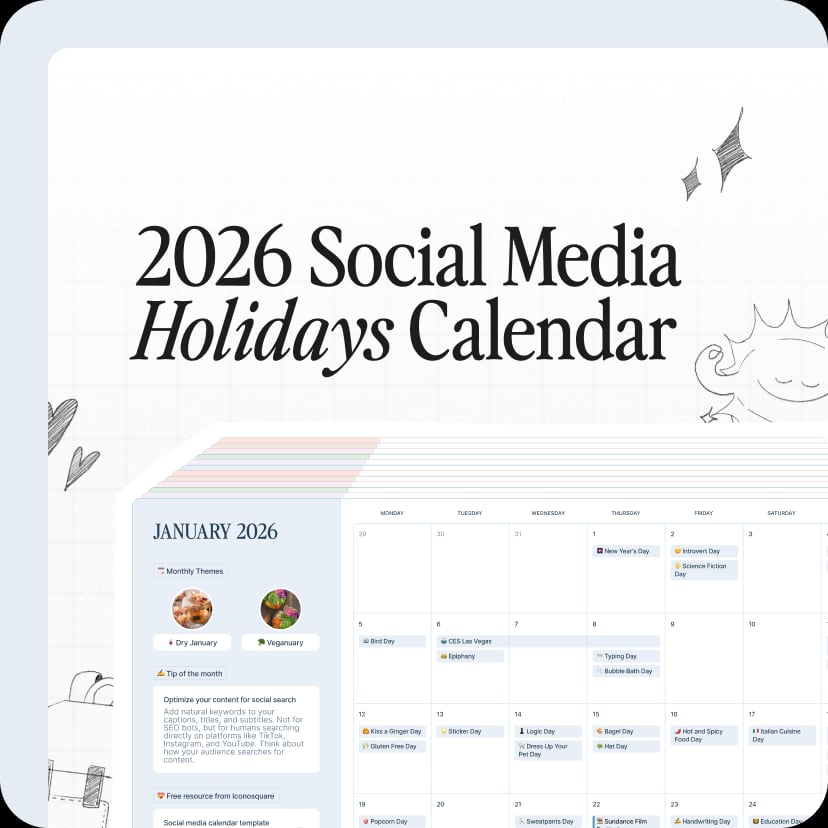
Iconosquare product interface.
Use these questions to decide:
- Do you manage 3+ social profiles? If yes, Iconosquare's multi-profile support is valuable. If you only have one or two, a simpler tool may suffice.
- Is analytics a priority? If you need to prove ROI and track performance in detail, Iconosquare is a strong choice. If you mainly schedule posts, look elsewhere.
- Do you need client reporting? Agencies that send regular reports will benefit from automated reporting and custom dashboards.
- Is Twitter engagement critical? If you rely heavily on Twitter replies and mentions, Iconosquare's gap here may be a dealbreaker.
- What is your budget? Iconosquare is a mid-to-high investment. Compare pricing with alternatives to ensure it fits your budget.
Related reading
- Shanghai Jungle Review 2026: China Market Entry Agency - Evidence-based Shanghai Jungle review: Tmall Global setup, Xiaohongshu campaigns, pricing signals, limitations, and which foreign brands it fits.
Sources and further reading
- Iconosquare Review 2025: Pros, Cons, Features, And More - Considering signing up for Iconosquare? Read this first. We're sharing everything you should know in this Iconosquare review...
- Iconosquare Honest Review - The Pros and Cons! Need to Know - Iconosquare is packed with analytics and scheduling tools for social media—but is it worth your time and money? In this honest review, I’ll break down what w...
- Iconosquare Reviews 2026: Details, Pricing, & Features - G2 - Users consistently praise the intuitive interface and comprehensive analytics offered by Iconosquare, which simplify social media management and enhance ...
FAQ
What is Iconosquare best for?
Iconosquare is best for social media analytics, reporting, and multi-profile management. It is particularly strong for agencies and brands that need to measure performance across several networks.
Does Iconosquare offer a free trial?
Yes, Iconosquare typically offers a free trial. The length may vary, so check the website for current details.
Can I schedule posts with Iconosquare?
Yes, Iconosquare includes a full publishing and scheduling tool with a visual calendar, time slots, and AI caption generation.
Does Iconosquare support Twitter/X?
Yes, you can schedule and analyze Twitter/X posts, but the Conversations feature does not include Twitter replies or mentions.
Is Iconosquare good for agencies?
Yes, it is well-suited for agencies due to its multi-profile support, unlimited team members, approval workflows, and client reporting features.
How does Iconosquare compare to Hootsuite?
Iconosquare is more analytics-focused, while Hootsuite is broader in social listening and publishing. Iconosquare often provides deeper Instagram and Facebook analytics.
Conclusion
Iconosquare is a powerful analytics-first platform for social media managers who need to prove what works. Its strengths lie in deep reporting, custom dashboards, and collaboration tools that suit agencies and multi-brand teams. The limitations—Twitter engagement gaps, cross-posting restrictions, and pricing opacity—are worth noting, but they do not overshadow the core value for data-driven teams.
If you manage multiple profiles and prioritize analytics, Iconosquare is a strong contender. If you need a simpler, cheaper scheduler, explore alternatives like Buffer or OneUp. For agencies needing client approvals, HeyOrca is another option. Evaluate your needs against the decision criteria above to make the right choice.
For more evidence-based reviews, see our Mixpost review for self-hosted scheduling and Postiz review for agentic social scheduling.