Social Status Review 2026: Social Analytics for Agencies
Social Status Review 2026: Automated Social Analytics for Agencies and Brands
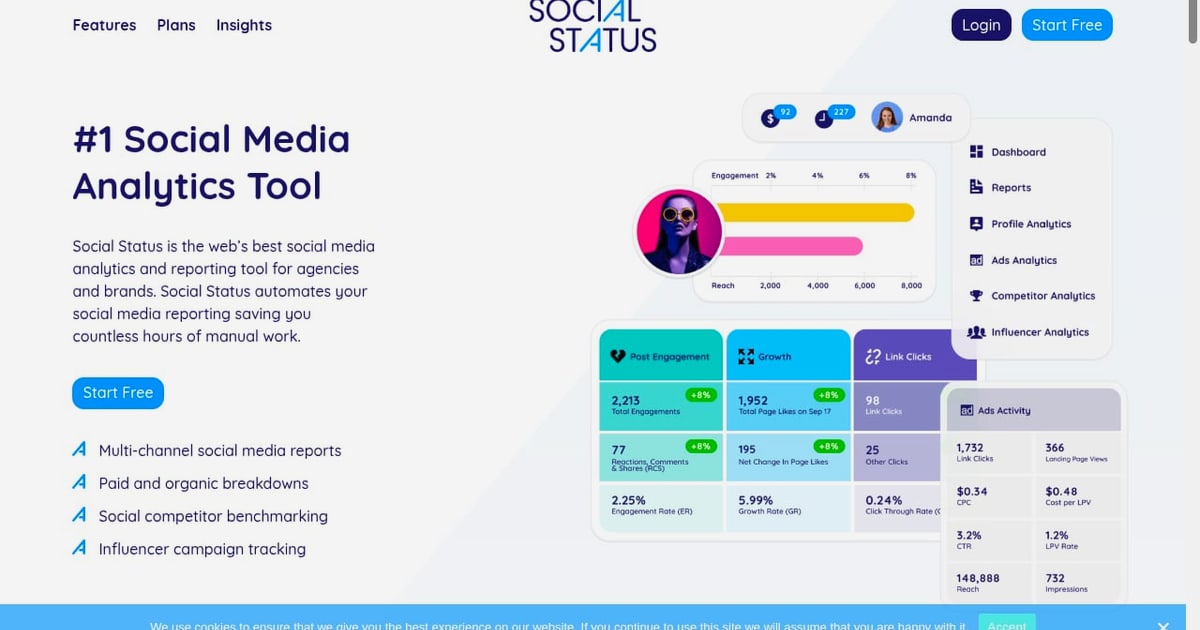
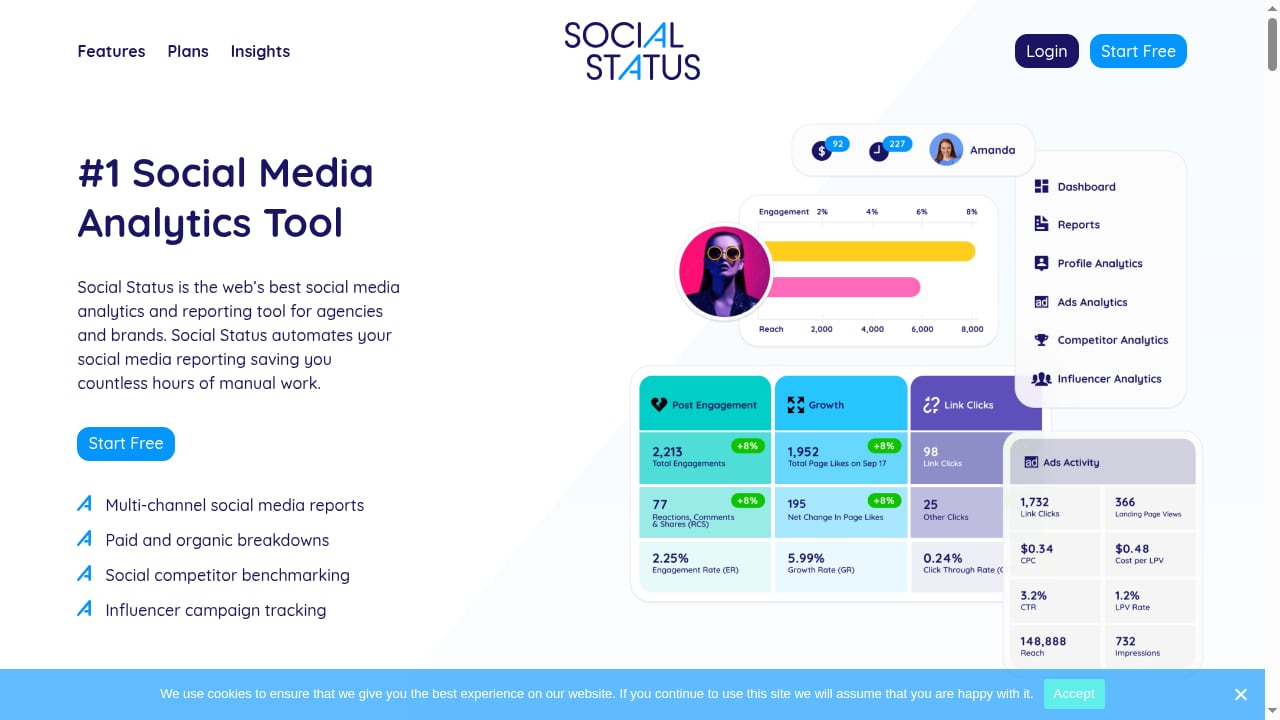
If you manage social accounts for clients or a multi-brand portfolio, you probably know the monthly reporting grind: pulling numbers from each platform, rebuilding the same slide deck, and reconciling paid and organic data by hand. Social Status is a social media analytics and reporting tool built to remove that manual work. It automates multi-channel reports, breaks down paid and organic performance, benchmarks competitors, and tracks influencer campaigns. This review covers what it does well, where it falls short, pricing signals, setup, and how to decide whether it belongs in your stack.
What Social Status is and who it is for
First viewport screenshot of Case Studies - Social Status.
Social Status is a reporting-first analytics platform. Rather than trying to be an all-in-one scheduler, it concentrates on measurement: pulling data from the social profiles and ad accounts you administer, then turning that data into shareable reports. That focus shapes both its strengths and its limitations.
It is best suited to:
- Agencies that produce recurring client reports and need consistent formatting across many accounts.
- Brands with in-house social teams that report to marketing leadership or executives.
- Freelancers and small businesses that want credible analytics without an enterprise contract.
- Nonprofits that need affordable, presentable reporting for boards and donors.
It is less suited to creators who mainly want scheduling and inbox management, or to teams whose primary need is publishing rather than measurement.
Core features and how they work in practice
Social Reports
Social Status automates report generation and exports to Excel, PDF, PPTX, and Google Slides. In practice, this means you can build a template once, connect your accounts, and refresh the same report each month instead of rebuilding it. For an agency running ten clients, that is the difference between a full reporting day and a short review pass.
A realistic workflow looks like this:
- Connect the profiles and ad accounts you manage.
- Choose a report template and the metrics that matter to the client.
- Generate the report and export it to the format the client expects.
- Add commentary, then schedule or send it.
The value is not just speed. Standardized templates also reduce the risk of inconsistent numbers between team members.
Profile Analytics
Profile Analytics tracks and analyzes the social profiles and pages you administer. This is the organic side of the picture: follower movement, engagement patterns, and post performance across channels. It is most useful when you need a single view across several platforms rather than logging into each native dashboard separately.
Ads Analytics
Ads Analytics covers the social ad accounts you administer, giving you a paid view alongside organic performance. For teams that report on both, having paid and organic breakdowns in one place avoids the common problem of two separate spreadsheets that never quite reconcile.
Competitor Analytics
Competitor Analytics tracks and analyzes any public competitor social profile or page. This is useful for share-of-voice style comparisons and for answering the executive question, "How are we doing relative to them?" Because it works with public profiles, you do not need access to a competitor's ad account to get a directional read.
Influencer Analytics
Influencer Analytics tracks and analyzes influencer marketing campaigns. If influencer spend is a meaningful line in your budget, being able to fold campaign performance into the same reporting system as organic and paid is a practical advantage.
Pricing signals
First viewport screenshot of Aussies Show Support on Social for Local Chocolate Maker, Haigh's, This Easter - Social Status.
Social Status uses a transparent, tiered model with a Free Plan and a Micro Plan aimed at small businesses, freelancers, and nonprofits, plus Small Business Plans for larger needs. Billing is contract-free and monthly by default, and the company states that you can upgrade, downgrade, cancel, or change plans flexibly.
A few practical notes on reading those signals:
- The free tier is a genuine evaluation path. You can test report generation and exports before committing budget.
- Plan limits usually scale with accounts and report volume. Check how many profiles, ad accounts, and competitor profiles your tier allows, because that is where costs escalate.
- Monthly billing lowers commitment risk. For agencies with fluctuating client rosters, the ability to change plans without a long contract matters more than a small discount.
Pricing changes over time, so verify current tiers on the vendor's site before you budget. For a broader comparison of how analytics-focused tools price and position themselves, see our Iconosquare review.
Setup and onboarding
Setup is straightforward for a reporting tool: you connect the social profiles and ad accounts you administer, then configure report templates. The main effort is not technical but organizational.
- Decide your metric set first. Agree with stakeholders on which metrics appear in every report before you build templates.
- Map accounts to clients. If you manage many brands, a clear naming convention saves confusion later.
- Test one full report cycle. Generate a report for one client, export it, and review it with the person who will actually send it.
- Standardize commentary. Templates handle numbers; humans still write the narrative. A short internal style guide keeps reports consistent across the team.
Expect the first reporting cycle to take longer than later ones. The payoff comes in the second and third months, when the same template refreshes with new data.
Strengths
- Reporting depth across formats. Excel, PDF, PPTX, and Google Slides exports cover most client and internal requirements.
- Paid and organic in one place. Ads Analytics and Profile Analytics together reduce reconciliation work.
- Competitor benchmarking without account access. Public profile tracking makes competitive context easy to add.
- Influencer tracking included. Campaign measurement sits alongside the rest of your reporting.
- Low-commitment pricing. A free tier and monthly billing suit agencies with changing client lists.
Limitations and things to check
- Not a publishing tool. If you need scheduling, approvals, and a visual content calendar, Social Status is complementary rather than a replacement. Tools like HeyOrca or Buffer cover that ground.
- Analytics depends on platform access. You can only analyze accounts you administer, plus public competitor profiles. Private competitor data is out of reach.
- Report quality depends on your templates. Automation speeds up production, but a poorly designed template still produces a confusing report.
- Plan limits matter. Account and report caps can force an upgrade sooner than expected for growing agencies.
- Verify current pricing. Tier names and limits change; confirm details before you commit.
Social Status vs. scheduling-first tools
First viewport screenshot of Social media analytics and reporting tools | Social Status.
The clearest way to decide is to separate reporting from publishing. If your bottleneck is "we spend too long building reports," Social Status targets that directly. If your bottleneck is "we need to plan, approve, and publish content across channels," you want a scheduling platform.
Many teams end up with both: a scheduler for production and an analytics tool for measurement. If you are evaluating the scheduling side, our OneUp review and Postiz review cover two different approaches to publishing and automation. If you prefer an analytics-first platform that also handles management, the Iconosquare review is a useful counterpoint.
Who should choose Social Status
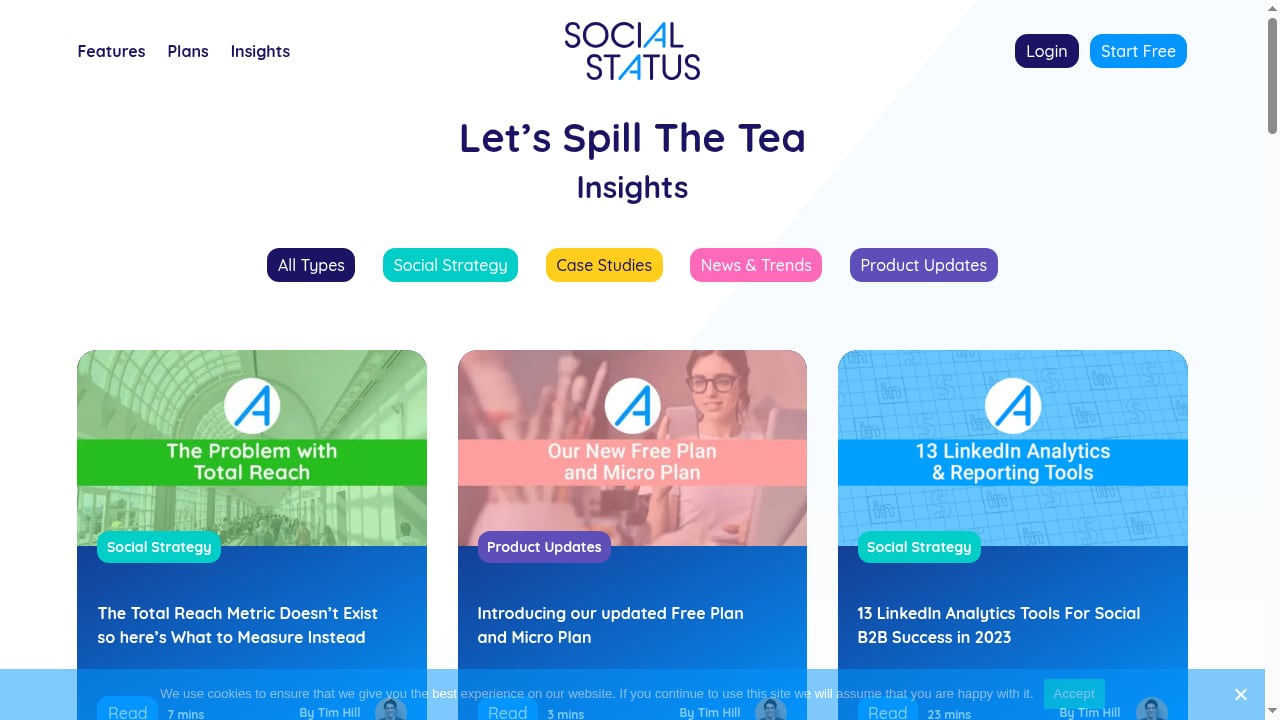
First viewport screenshot of Social Status Insights.
Choose Social Status if:
- You produce recurring reports for multiple clients or brands.
- You need paid, organic, competitor, and influencer data in one reporting flow.
- You want to export to formats your clients already accept.
- You value a free tier and monthly, contract-free billing.
Look elsewhere if:
- Your main need is scheduling, approvals, or a visual content calendar.
- You need deep social listening or inbox management.
- You only manage one or two accounts and can live with native platform analytics.
Related reading
- Androva Review 2026: AI Marketing Team for Small Business? - Evidence-based Androva review: how its AI marketing team handles social, ads, email, and SEO, who it fits, pricing signals, setup, and limitations.
- Mixpost Review 2026: Self-Hosted Social Scheduling Tested - Evidence-based Mixpost review for 2026: self-hosted setup, pricing signals, platform coverage, limitations, and who should really run it.
Sources and further reading
- Social Status Reviews - Trustpilot - Mar 26, 2018 ... Social Status Reviews ; MV. Mary Van Etten. Dec 15, 2024 ; VC. Valued Customer. Mar 2, 2023.
- Social Status Reviews | Read Customer Service Reviews of socialstatuspgh.com - 105 people have already reviewed Social Status. Read socialstatuspgh.com customer experiences and share your own!
- Should I trust Social Status if they have that warning in the top ? I'm ... - Sep 6, 2023 ... Comments Section ; First time buying from socialstatuspgh, no confirmation email. 2 · 9 ; Does anyone tell a story better than Social Status? r/ ...
FAQ
Is Social Status a scheduling tool?
No. It is a social media analytics and reporting platform. It focuses on measurement and report automation rather than publishing content.
Can Social Status track competitors?
Yes. Competitor Analytics tracks and analyzes any public competitor social profile or page, so you do not need access to their accounts.
Does Social Status have a free plan?
Yes. There is a Free Plan, along with a Micro Plan aimed at small businesses, freelancers, and nonprofits, and Small Business Plans for larger needs.
What export formats does Social Status support?
Reports can be automated and exported to Excel, PDF, PPTX, and Google Slides.
Is Social Status contract-free?
According to the vendor, billing is monthly by default and contract-free, and you can upgrade, downgrade, cancel, or change plans flexibly.
Does Social Status track influencer campaigns?
Yes. Influencer Analytics tracks and analyzes influencer marketing campaigns, which can be reported alongside organic and paid performance.
Conclusion
Social Status earns its place in a stack when reporting is the bottleneck. Its combination of automated multi-format reports, paid and organic breakdowns, competitor benchmarking, and influencer tracking addresses a specific and common agency pain: too many hours spent assembling numbers instead of interpreting them. The free tier and monthly billing lower the risk of trying it, and the export options fit how clients actually consume reports.
The trade-off is scope. Social Status is not a publishing or listening platform, and its value depends on well-designed templates and clear metric agreements. If your team already has scheduling covered and needs measurement to be faster and more consistent, Social Status is worth a serious evaluation. Start with the free plan, run one full reporting cycle with a real client, and judge it on the second month, when the automation should be doing the heavy lifting.