MediaWorkbench.ai Review 2026: Pricing, AI Features & Fit
MediaWorkbench.ai Review 2026: Pricing, AI Features & Fit
MediaWorkbench.ai is an AI-powered social media management platform that combines scheduling, publishing, analytics, and AI-assisted content creation in a single dashboard. It targets creators, marketers, and agencies who want to reduce manual posting work and keep multiple channels active without switching between tools.
This review examines what the platform actually offers, where it fits best, and what to watch out for before committing. It is based on the product's published feature set, pricing signals, and comparison with established alternatives.
What MediaWorkbench.ai Does

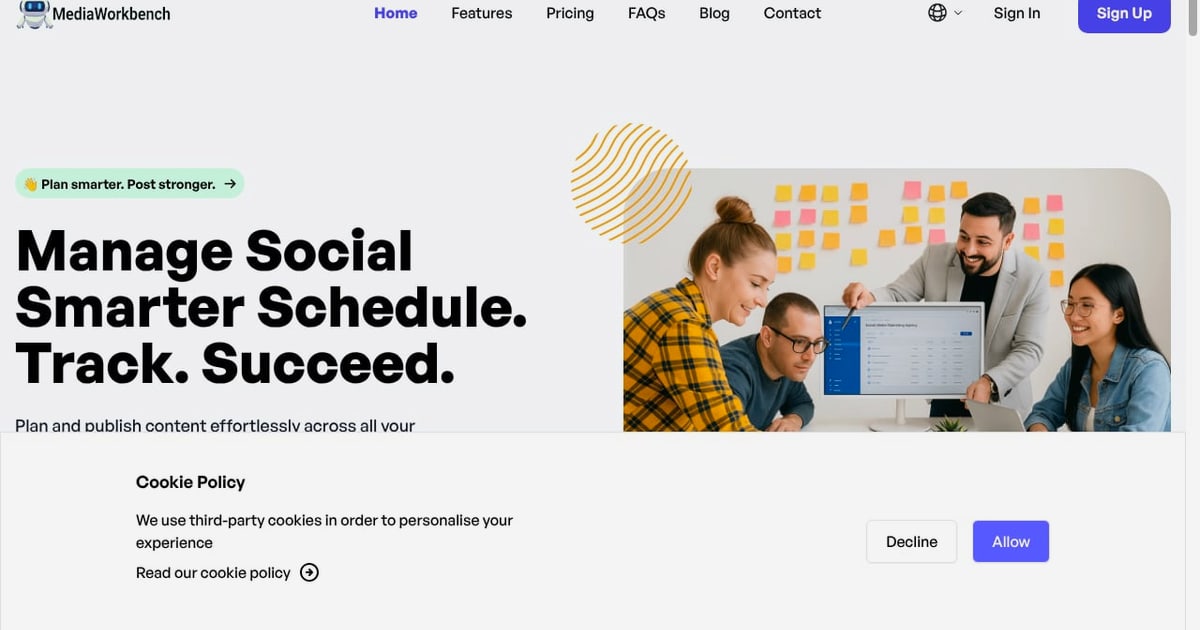
Manage Social Smarter Schedule. Track. Succeed..
At its core, MediaWorkbench.ai handles the operational side of social media: planning, publishing, and measuring content across major networks. The platform supports Facebook, Instagram, LinkedIn, TikTok, and YouTube for analytics, and publishing extends to X and other channels.
The feature set breaks into four practical areas:
- Scheduling and publishing — a unified calendar, drag-and-drop scheduling, bulk posting, and automated publishing at preferred times.
- AI content assistance — caption generation, content suggestions, AI templates, and creative idea generation tailored to a brand.
- Analytics and reporting — real-time insights, visual charts, trend discovery, and exportable reports.
- Team and asset management — unlimited team members, role assignment, approval workflows, media library, watermarking, and URL shortening with click tracking.
Two automation features stand out for lean teams: bulk posting, which lets you create and schedule dozens of posts across networks in one workflow, and RSS scheduling, which automatically fetches and publishes content from any feed.
Who MediaWorkbench.ai Is For

First viewport screenshot of Media Workbench AI.
The platform is not built for every social media use case. It fits best in these scenarios:
Solo creators and small marketing teams who manage three to ten accounts and need scheduling, basic analytics, and AI writing help without enterprise overhead. The unlimited team member allowance is unusual at this price point and makes it viable for small agencies managing multiple client brands.
Agencies and freelancers handling several clients from one dashboard. Account switching, approval workflows, and watermarking address the practical needs of client work — consistent branding and review before publishing.
Content-heavy operations that publish frequently from blogs, news feeds, or podcasts. RSS automation keeps profiles active without daily manual effort.
Teams new to AI content tools that want caption suggestions and templates rather than a full autonomous content engine. The AI features assist writing; they do not replace strategy.
Key Strengths
Unified workflow reduces tool switching
The combination of calendar, media library, approval workflow, and analytics in one interface is the platform's main practical advantage. Teams managing multiple brands avoid the tab-switching that slows down daily publishing routines.
AI assistance is embedded, not bolted on
AI writing assistants appear inside the composer, generating captions and suggesting improvements as you write. AI templates provide starting points for campaigns. This is a pragmatic approach — the AI supports the workflow rather than requiring a separate tool.
Bulk and RSS automation save real time
For teams publishing high volumes, bulk scheduling and RSS-to-social automation are the features that justify the subscription. A blog or podcast feed can keep social profiles active with minimal intervention.
Analytics cover the major networks
Facebook, Instagram, LinkedIn, TikTok, and YouTube analytics in one dashboard with visual reports and export options is a solid baseline. It is not the deepest analytics suite available, but it covers the metrics most teams actually review.
Pricing is accessible with flexible billing
Plans start at $29/month for Starter, $39/month for Premium, and $49/month for Entrepreneur, with monthly, yearly, and lifetime billing options. A free trial is available without a credit card. The lifetime option is uncommon in this category and may appeal to teams that want to avoid recurring costs.
Limitations and Trade-offs
Analytics depth is moderate
The platform tracks performance and trends, but teams needing advanced attribution, competitor benchmarking, or cross-channel funnel analysis will likely need additional tools. If deep analytics is your priority, compare dedicated options like Emplifi, which focuses on social care and commerce analytics.
AI quality depends on your input
Caption generation and content suggestions are useful starting points, but output quality varies with the brief you provide. Teams expecting fully autonomous content creation will need to refine prompts and review output. For a comparison of AI-first scheduling tools, see our Crowbert review.
Network support for publishing varies
Analytics cover five major networks, but publishing support across every channel is not identical. Verify that your specific networks — particularly newer platforms — are supported before committing.
No public enterprise tier or SLA
The published pricing tops out at the Entrepreneur plan. Large organizations needing custom contracts, dedicated support, or compliance documentation may find the offering too lightweight.
Brand maturity is limited
The platform states it is trusted by over 100 tech-first teams. That is a reasonable signal for a newer tool, but it is smaller than established competitors. Teams that prioritize vendor stability should weigh this against the feature fit.
Pricing Signals and Value Assessment
| Plan | Monthly Price | Best For |
|---|---|---|
| Starter | $29/month | Solo creators, one or two brands |
| Premium | $39/month | Small teams, multiple accounts |
| Entrepreneur | $49/month | Agencies, high-volume publishing |
Yearly and lifetime billing options are available. The free trial requires no credit card, which lowers the risk of evaluation.
At these prices, MediaWorkbench.ai competes with tools like Socialync and Typefully. The value proposition is breadth: scheduling, AI writing, analytics, team collaboration, and automation in one subscription rather than several.
For teams already paying for separate scheduling, analytics, and AI writing tools, consolidating into one platform at $39–$49/month can reduce total software spend. For teams with simple needs, a cheaper single-purpose scheduler may be sufficient.
Setup and Onboarding
The platform advertises getting started in minutes. Based on the feature set, a realistic setup sequence looks like this:
- Connect social accounts — link the profiles you manage, including client accounts if you are an agency.
- Configure team access — invite team members and assign roles for content creation, review, and approval.
- Set up the media library — upload brand assets, logos, and watermarks for consistent branding.
- Connect RSS feeds — if you plan to automate content from blogs or news sources, add feeds during setup.
- Build your first campaign — use AI templates or the content generator to draft posts, then schedule them on the unified calendar.
- Review analytics baseline — after the first publishing cycle, check the analytics dashboard to establish performance benchmarks.
The approval workflow is worth configuring early if multiple people touch content. It prevents publishing errors and keeps client review structured.
How MediaWorkbench.ai Compares

12 Powerful Call to Action Examples That Convert in 2025.
The social media management category is crowded. Here is how MediaWorkbench.ai fits against common alternatives:
- Versus Hootsuite: Hootsuite has deeper analytics and a larger ecosystem, but typically costs more. MediaWorkbench.ai is a lighter, more affordable option for teams that do not need enterprise features. See our Hootsuite review for a detailed comparison.
- Versus Later: Later specializes in influencer marketing and visual-first platforms like Instagram. MediaWorkbench.ai is broader in publishing automation but less specialized in influencer campaign management.
- Versus Typefully: Typefully focuses on writing and scheduling for X, LinkedIn, and similar text-first networks. MediaWorkbench.ai covers more networks and adds analytics and team features.
- Versus Donivo: Donivo emphasizes cross-network scheduling with a free tier. MediaWorkbench.ai adds AI content assistance and deeper team collaboration.
The right choice depends on whether you need breadth (MediaWorkbench.ai) or depth in a specific area like analytics, influencer marketing, or text-first publishing.
Decision Criteria: Should You Choose MediaWorkbench.ai?

How to Create a Cartoon Picture That Captivates and Connects.
Use these questions to decide:
Choose MediaWorkbench.ai if:
- You manage multiple brands or client accounts and want one dashboard.
- You publish frequently and want bulk scheduling and RSS automation.
- You want AI caption assistance built into the composer.
- You need unlimited team members without per-seat pricing.
- You prefer a lower monthly cost with a lifetime billing option.
Look elsewhere if:
- You need advanced analytics, attribution, or competitor benchmarking.
- You require enterprise contracts, SLAs, or compliance documentation.
- You only manage one network and need a simple, cheap scheduler.
- You need deep influencer marketing or campaign management features.
Related reading
- Donivo Review 2026: Pricing, Limits, and Who It Fits - Evidence-based Donivo review for 2026: eight-network scheduling, free plan limits, paid tier signals, setup, trade-offs, and who should choose it.
- BuzzSumo Review 2026: Features, Pricing & Real Use Cases - Evidence-based BuzzSumo review: content discovery, journalist database, monitoring, pricing signals, setup, limitations, and who should use it in 2026.
Sources and further reading
- Media Workbench AI - MediaWorkbench.ai generates top-quality content, images, code, and chat with advanced AI—ideal for creators, developers, and marketers.
- Digital media workbench scam - Reddit - Sep 18, 2023 ... The goal of this scam is to get people to download the app for easy money and then encourage them to pay to get to the next level. It's ...
- AI Short Film for $200: Seedance, Imagen 3, Claude, and Suno Stack - A toolkit-based workflow for making a polished AI short film with Seedance 2.0, Imagen 3, Claude, and Suno — with a per-tool cost table and a 2-day timeline.
FAQ
Does MediaWorkbench.ai offer a free trial? Yes. A free trial is available with no credit card required, which allows you to test the workflow before subscribing.
What social networks does MediaWorkbench.ai support? Analytics are supported for Facebook, Instagram, LinkedIn, TikTok, and YouTube. Publishing extends to X and other major channels. Verify current network support before committing, as platform integrations change.
How much does MediaWorkbench.ai cost? Plans start at $29/month for Starter, $39/month for Premium, and $49/month for Entrepreneur. Monthly, yearly, and lifetime billing options are available.
Is MediaWorkbench.ai good for agencies? Yes, for small to mid-sized agencies. Unlimited team members, account switching, approval workflows, and watermarking support client work. Larger agencies needing enterprise controls may find it limited.
Does MediaWorkbench.ai have AI content generation? Yes. The platform includes AI writing assistants for captions, AI templates, and a content generator for posts and creative ideas. Output quality depends on the brief you provide.
Can I automate posting from an RSS feed? Yes. You can connect RSS feeds to automatically fetch, schedule, and publish content across connected social channels.
Conclusion
MediaWorkbench.ai is a practical, affordable option for creators, small teams, and agencies that want scheduling, AI writing assistance, analytics, and team collaboration in one platform. Its strengths are workflow consolidation, bulk and RSS automation, and accessible pricing with a lifetime option.
Its limitations are moderate analytics depth, variable AI output quality, and a smaller brand footprint than established competitors. For teams that need breadth over depth and want to reduce tool sprawl, it is worth testing during the free trial. For teams with specialized analytics or enterprise requirements, compare dedicated alternatives before deciding.
The most reliable way to evaluate it is to connect your actual accounts, run a week of real content through the workflow, and review the analytics against your current setup. The free trial makes that assessment low-risk.