SocialBu Review 2026: Pricing, Features, Pros & Cons
SocialBu Review 2026: Pricing, Features, Pros & Cons
SocialBu is a social media management platform that aims to cover the full publishing cycle: generating content, scheduling it, automating repetitive tasks, and measuring results. It supports Facebook, Twitter, Instagram, LinkedIn, YouTube, TikTok, and more, with AI-assisted creation and workflow automation built in. This review examines what SocialBu does well, where it falls short, and whether it fits your workflow in 2026.
What Is SocialBu?
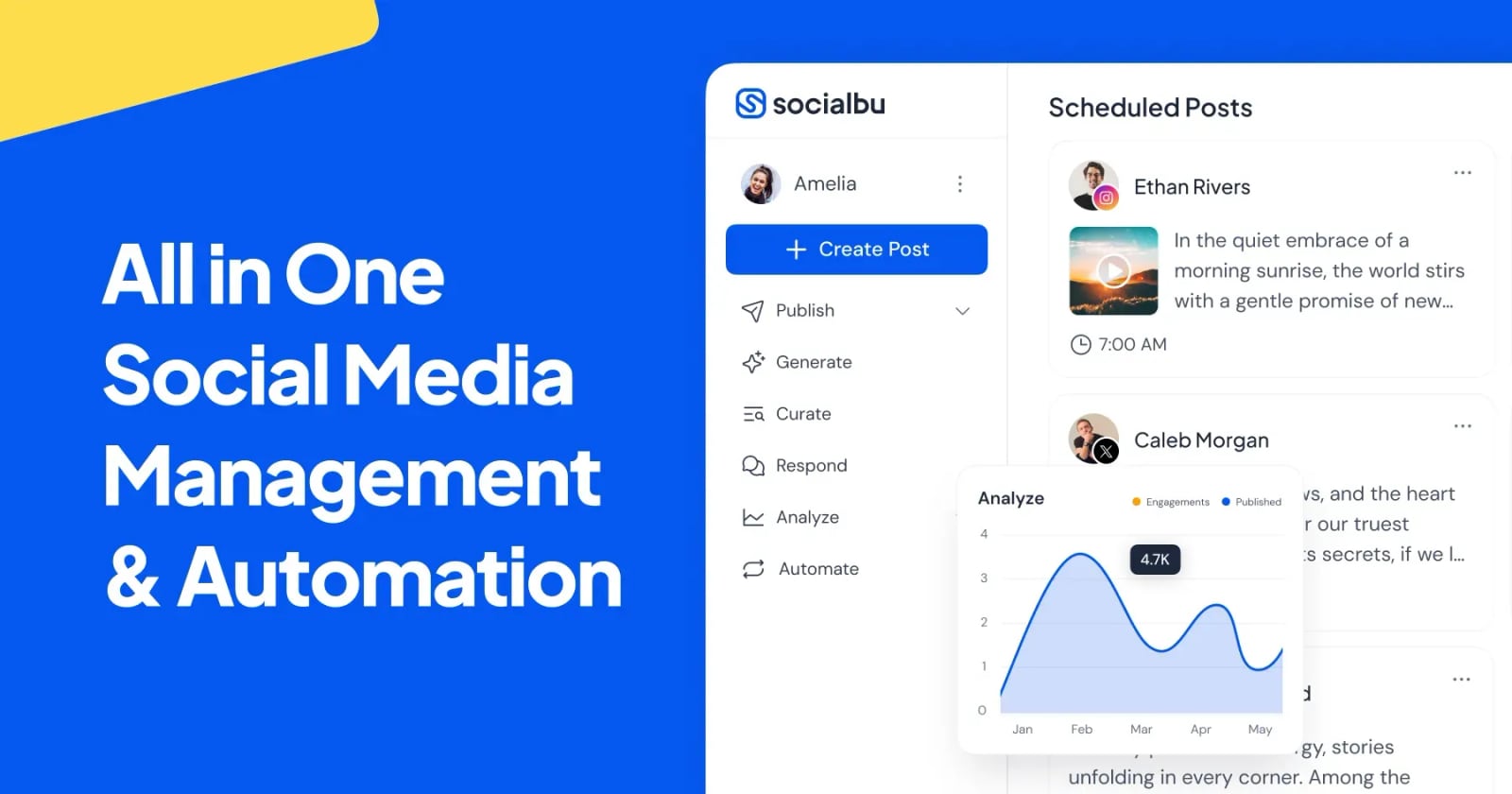
SocialBu product interface.
SocialBu is a web-based tool for creators, small businesses, and teams who need to manage multiple social accounts from one dashboard. Its feature set spans:
- AI-powered content creation – autocomplete, caption generation, and image generation to speed up drafting.
- Scheduling and bulk publishing – queue posts across networks, upload in bulk, and maintain a content calendar.
- Content curation – discover and reshare relevant content.
- Social listening – monitor mentions and keywords.
- Automation – RSS feeds, post triggers, and other repetitive-task automations.
- Analytics – performance reporting across connected accounts.
- Team collaboration – approval workflows for multi-person teams.
- Developer and AI integrations – an MCP server for AI assistants like Claude and ChatGPT, plus a developer API.
It is positioned as an all-in-one option that avoids juggling separate tools for scheduling, automation, and analytics.
Who SocialBu Is For

SocialBu product interface.
SocialBu tends to fit these users:
- Solo creators and small businesses that need to publish consistently without hiring a social media manager.
- Lean marketing teams that want approval workflows and shared calendars without enterprise complexity.
- Automation-focused users who rely on RSS feeds, triggers, and bulk scheduling to keep channels active.
- Developers and AI tinkerers interested in the MCP server or API for custom integrations.
If you manage a large enterprise with complex compliance needs, a heavier platform may be a better fit. For a comparison of enterprise-grade options, see our Sprinklr review.
Key Features and How They Work
AI Content Creation
SocialBu's AI tools help you draft captions, complete sentences, and generate images. This is useful when you need to fill a content calendar quickly, but AI output still needs human editing to match your brand voice. Treat it as a first-draft assistant, not a replacement for strategy.
Scheduling and Bulk Publishing
You can schedule posts across multiple networks, upload content in bulk, and view everything in a calendar. Bulk scheduling is a standout for campaigns or evergreen content. The interface is generally described as simple and easy to use in user reviews on Trustpilot and Capterra.
Automation
Automation is one of SocialBu's stronger differentiators. RSS feeds can automatically share new blog posts, and post triggers can react to events. This reduces manual work for content-heavy sites. If automation is your top priority, also consider Nuelink, which is built around automation recipes.
Social Listening and Analytics
SocialBu includes listening and analytics, though these are not as deep as dedicated listening tools. For basic monitoring and performance tracking, they are adequate. If you need advanced sentiment analysis and media monitoring, a specialized tool like Mention may be more appropriate.
Team Collaboration
Approval workflows let managers review posts before they go live. This is valuable for teams that need brand or legal checks. The depth of collaboration features is lighter than what you would find in premium suites like Sprout Social, but it covers the essentials for small teams.
MCP Server and API
The MCP server allows AI assistants such as Claude and ChatGPT to interact with SocialBu, which is a forward-looking feature for AI-driven workflows. The developer API enables custom integrations. These are not common in lower-cost social media tools and may appeal to technical users.
Pricing Signals
SocialBu offers a free tier that includes 3 accounts and 10 lifetime posts. This is enough to test the platform but not for ongoing publishing. Paid plans start at $29 per month, with pricing likely scaling by number of accounts, users, and features. For exact current pricing, check SocialBu's official site, as plans and limits can change.
Compared to alternatives, SocialBu's entry price is competitive. Tools like ContentStudio and MeetEdgar have different pricing models and feature focuses, so evaluate based on your specific needs.
Setup and Ease of Use
Setup involves connecting your social accounts and configuring posting schedules. Users frequently mention that the dashboard is easy to navigate. The learning curve is mild, though advanced automation and API features may require some experimentation. Bulk scheduling and AI tools can speed up onboarding for new users.
Strengths and Limitations
Strengths:
- Broad platform support in one dashboard.
- AI content creation and image generation.
- Robust automation with RSS and triggers.
- Bulk scheduling and content calendar.
- MCP server and API for technical users.
- Free tier and affordable paid plans.
Limitations:
- Analytics and listening are less deep than dedicated tools.
- AI output requires editing for brand consistency.
- Collaboration features are basic compared to enterprise suites.
- Some users mention room for improvement in user experience, as seen in a Reddit discussion.
- Free tier is limited to 10 lifetime posts.
SocialBu vs Alternatives

SocialBu product interface.
- SocialBu vs Sprout Social: Sprout Social offers deeper analytics and enterprise collaboration but at a higher price. SocialBu is more affordable and automation-focused.
- SocialBu vs ContentStudio: ContentStudio emphasizes content discovery and AI; SocialBu emphasizes automation and API access.
- SocialBu vs Nuelink: Nuelink is built around automation recipes; SocialBu offers automation plus a broader feature set including AI and listening.
- SocialBu vs MeetEdgar: MeetEdgar focuses on evergreen content libraries; SocialBu provides more platform coverage and AI tools.
Decision Criteria: Is SocialBu Right for You?
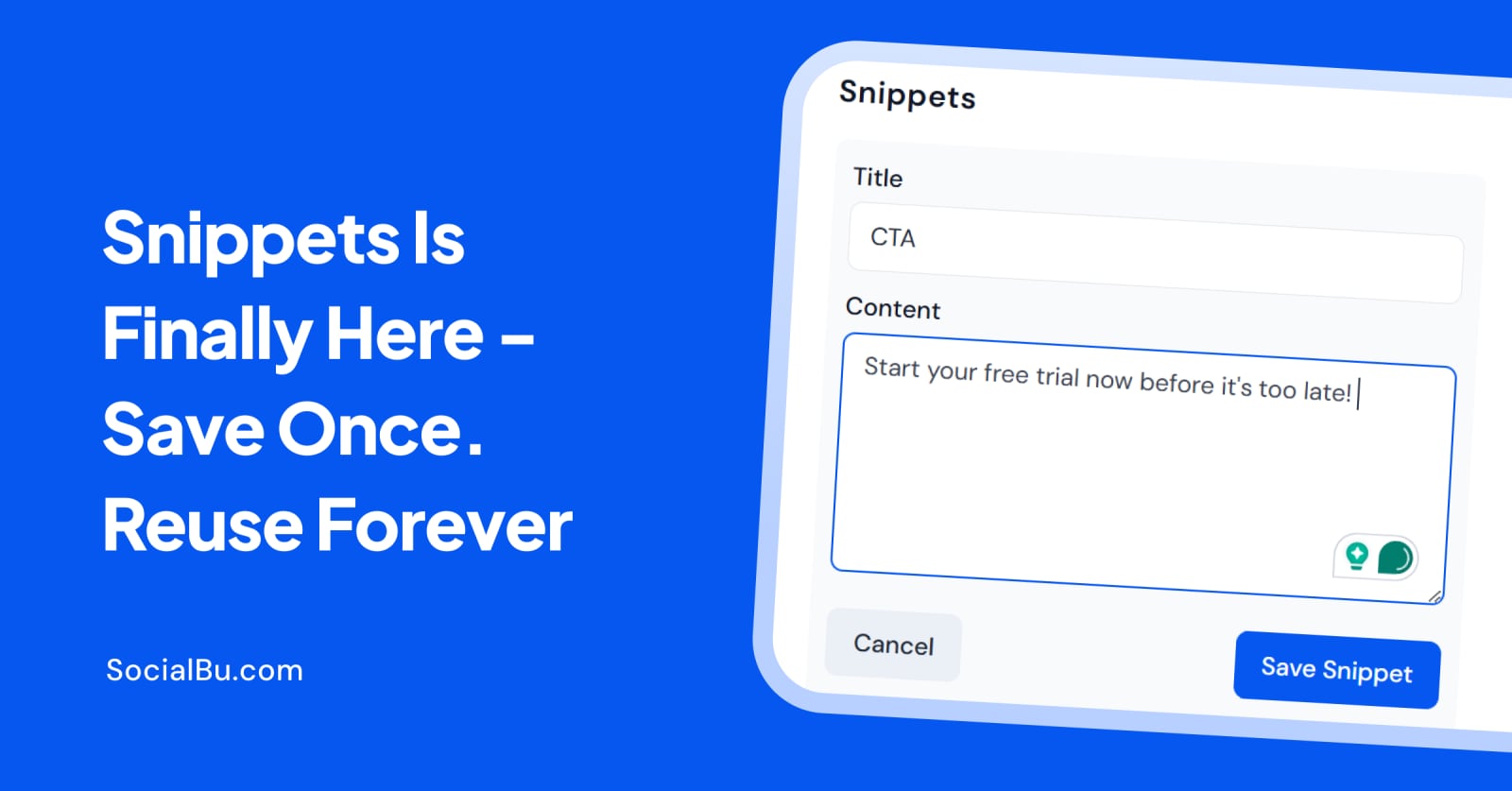
SocialBu Snippets.
Choose SocialBu if:
- You want an affordable all-in-one tool with AI and automation.
- You need to manage multiple networks from one dashboard.
- You value RSS automation and bulk scheduling.
- You are interested in AI assistant integration via MCP.
Look elsewhere if:
- You need advanced social listening and sentiment analysis.
- You require deep enterprise-level collaboration and compliance.
- You want a large free tier for ongoing publishing.
Frequently Asked Questions
Does SocialBu have a free plan? Yes, it offers a free tier with 3 accounts and 10 lifetime posts. Paid plans start at $29 per month.
What social networks does SocialBu support? It supports Facebook, Twitter, Instagram, LinkedIn, YouTube, TikTok, and more.
Can SocialBu automate posting? Yes, it supports RSS feeds, post triggers, and other automations to reduce manual work.
Does SocialBu have an API? Yes, it offers a developer API and an MCP server for AI assistant integration.
Is SocialBu good for teams? It includes approval workflows, but collaboration features are lighter than enterprise-focused tools.
Conclusion
SocialBu is a practical choice for creators and small teams that want AI-assisted content creation, scheduling, and automation at a reasonable price. Its automation and API features stand out, while analytics and collaboration are adequate but not best-in-class. If you need deep listening or enterprise-grade workflows, consider alternatives. For most lean teams, SocialBu offers a strong balance of features and value.
Always verify current pricing and features on SocialBu's official website, as offerings may change.