Planable Review 2026: Features, Pricing & Who It Fits

Planable Review 2026: Features, Pricing, and Who It Fits
Planable is a collaboration-first social media management platform built around one core idea: getting content approved without email chains, spreadsheets, and endless calls. It is not trying to be the most feature-packed scheduler on the market. Instead, it focuses on the messy middle of social media work — planning, reviewing, approving, and publishing across teams and clients.
This review breaks down what Planable does well, where it falls short, what the pricing signals suggest, and how to decide whether it belongs in your stack.
What Planable Actually Does

How to use Claude for social media: the agency workflow guide.
Planable gives teams a shared workspace to plan, approve, schedule, and publish social content. The platform supports multiple social channels and organizes work into four main views:
- Feed view — shows posts as they will appear in a real social feed, which makes visual review much faster.
- Calendar view — maps content across dates for campaign planning.
- Grid view — useful for Instagram-style visual planning.
- List view — a compact view for scanning and managing larger volumes of posts.
Beyond planning, Planable includes multi-level approval workflows (none, optional, or required), a social inbox for engagement, analytics for reporting, and integrations such as Canva and an MCP Connector for AI assistance.
The platform reports being trusted by 7,000+ teams and offers a free tier with 50 posts and no time limit. That free tier is unusually generous for this category and makes it easy to test the collaboration model before committing.
Who Planable Is Built For

Planable product interface.
Planable's design decisions point clearly toward collaboration-heavy teams rather than solo creators.
Agencies managing multiple clients. The approval workflow is the headline feature. Instead of chasing sign-off over email, agencies can route drafts through internal review and then to the client for final approval inside the same workspace. Case studies from agencies such as Attractive Media, Untapped Digital, and Public Alliance highlight reduced approval time and better transparency.
Brands with internal marketing teams. When a content manager, a designer, and a legal or brand reviewer all need visibility, Planable's feed view and approval states reduce the back-and-forth.
Enterprise teams. Multi-level approvals and structured workflows matter more as headcount grows. Planable positions itself as a way to scale output without adding headcount, which is a common enterprise goal.
Who it is less suited for. Solo creators who only need to schedule posts may find Planable's collaboration features unnecessary. If your priority is deep analytics, advanced automation, or a large integration library, a broader tool may fit better.
Strengths
1. Approval workflows are genuinely first-class
Many scheduling tools treat approvals as an afterthought. Planable treats them as the product. You can set workflows to none, optional, or required, and route content through multiple reviewers. For agencies, this alone can justify the switch.
2. Visual review reduces mistakes
The feed and grid views let reviewers see posts in context rather than as rows in a table. This makes it easier to catch awkward cropping, weak captions, or brand inconsistencies before publishing.
3. Client-facing collaboration is simple
Clients do not need to learn a complex tool. They can review, comment, and approve in a familiar visual interface. This lowers friction and speeds up sign-off.
4. Free tier lowers the barrier
A free plan with 50 posts and no time limit is a practical way to run a pilot with a real client or campaign before paying.
5. Useful integrations
Canva integration means designs can move from creation to scheduling without exporting and re-uploading. The MCP Connector signals a forward-looking approach to AI-assisted workflows.
Limitations
1. Not the deepest analytics suite
Planable includes analytics for reporting, but teams that need advanced attribution, competitor benchmarking, or custom dashboards may need a dedicated analytics tool alongside it.
2. Smaller integration ecosystem than legacy tools
Compared with long-established platforms, Planable's integration list is more focused. If your workflow depends on niche tools, verify support before committing.
3. Collaboration-first means scheduling is not the star
Planable schedules and publishes reliably, but if your main need is bulk scheduling, queue optimization, or recycling evergreen content, a tool like SocialBee may be a better primary fit.
4. Pricing scales with seats and clients
As with most collaboration tools, costs rise as you add users and workspaces. Solo users may find better value elsewhere.
Pricing Signals
Planable offers a free tier with 50 posts and no time limit, which is enough for a small brand or a test project. Paid plans generally scale by number of users, workspaces, and features such as approvals and analytics. Because pricing changes, check the official Planable site for current numbers before budgeting.
The practical question is not "what does it cost per month" but "how many hours of approval chasing does it eliminate." For agencies billing by the hour, the math often favors Planable even at higher tiers.
Setup and Onboarding
Setup is straightforward:
- Create a workspace and invite team members.
- Connect your social channels.
- Set approval workflow rules (none, optional, or required).
- Add clients or reviewers with appropriate permissions.
- Start planning in feed, calendar, grid, or list view.
Most teams can run a first campaign within a day. The main setup decision is workflow design: who reviews what, and at which stage. Getting that right early prevents confusion later.
How Planable Compares

Planable product interface.
If you are evaluating Planable against alternatives, the decision usually comes down to where collaboration sits in your priorities.
- Planable vs Buffer or Hootsuite. Legacy tools tend to offer broader publishing and analytics features. Planable competes on approval workflows and client collaboration. Community discussions on Reddit frequently highlight Planable's multi-approval process and Canva integration as differentiators.
- Planable vs Publer. Publer is a strong general-purpose scheduler with broad network support. Planable is more specialized for team and client review.
- Planable vs Fedica. Fedica leans into audience analytics and publishing breadth. Planable leans into workflow.
- Planable vs AI-first schedulers. Tools like RobinReach emphasize AI-assisted scheduling. Planable's MCP Connector shows it is moving in that direction, but its core identity remains collaboration.
Decision Criteria: Should You Choose Planable?
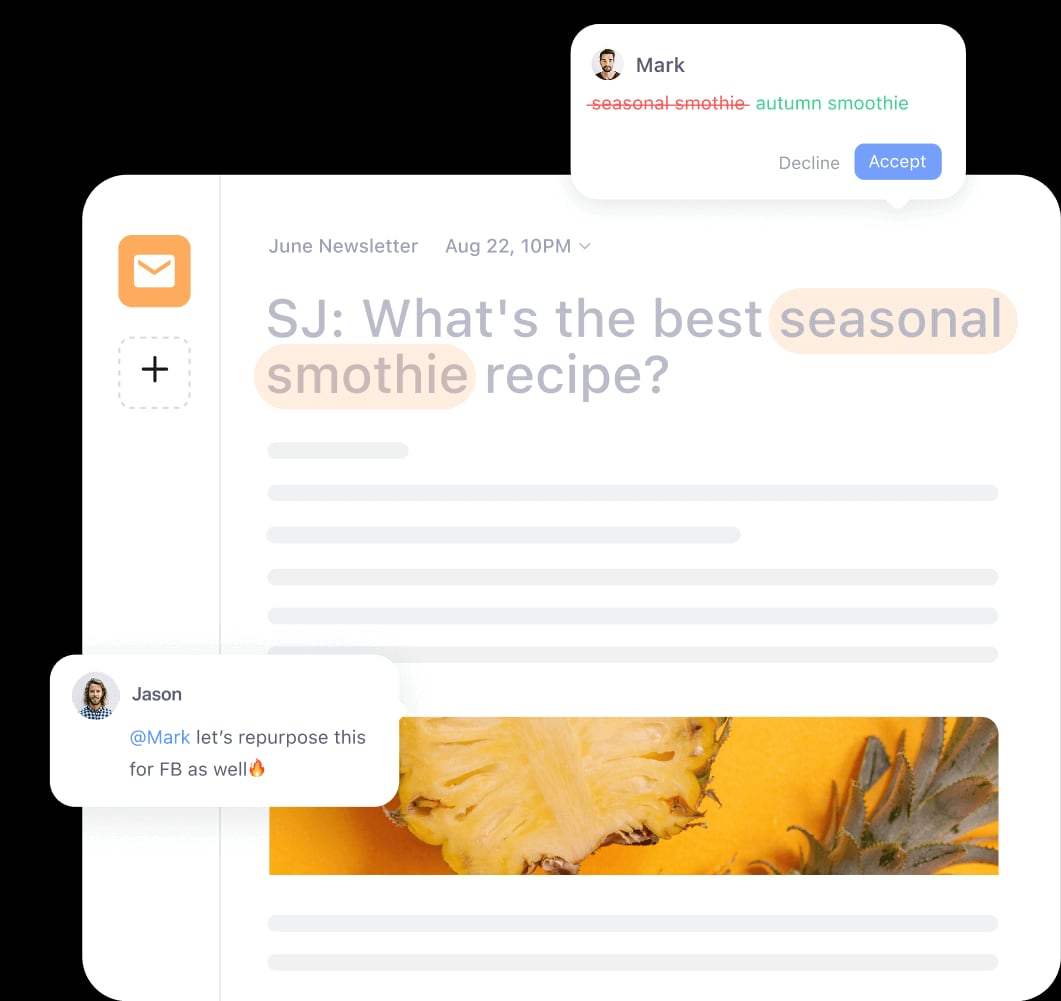
Planable product interface.
Choose Planable if:
- You manage social content for multiple clients or stakeholders.
- Approval bottlenecks are slowing down publishing.
- You want clients to review content in a visual, low-friction interface.
- You need multi-level approval workflows without building them yourself.
- You want to test the model on a free tier before paying.
Look elsewhere if:
- You are a solo creator with simple scheduling needs.
- You need advanced analytics or a very large integration library.
- Your priority is bulk scheduling or content recycling rather than collaboration.
Related reading
- Postprism Review 2026: AI Scheduling for Agencies - Evidence-based Postprism review for 2026: AI content adaptation, nine-network scheduling, pricing signals, setup, limitations, and who it fits.
Sources and further reading
- Buffer vs Hootsuite vs Planable vs Anything Else : r/DigitalMarketing - Jan 25, 2024 ... ... Canva designs directly into the posts and set up a multi approval review process. It makes things so much essier! mansoormuhammad. •. 3y ago.
FAQ
Is Planable free? Yes, Planable offers a free tier with 50 posts and no time limit. Paid plans add more users, workspaces, and features.
Does Planable support approval workflows? Yes. You can set workflows to none, optional, or required, and route content through multiple reviewers.
Which social networks does Planable support? Planable supports multiple major social channels. Check the official site for the current list, as support can change.
Is Planable good for agencies? Yes. Agencies are a core audience. The approval workflow and client-facing review experience are the main reasons agencies choose it.
How does Planable compare to Buffer or Hootsuite? Planable is more collaboration-focused. Buffer and Hootsuite tend to offer broader publishing and analytics features. The right choice depends on whether approval workflows are a priority.
Can I use Planable with Canva? Yes. Canva integration lets you bring designs into Planable for review and scheduling.
Conclusion
Planable is a focused tool that solves a specific, expensive problem: getting social content approved and published without drowning in email threads and spreadsheets. Its strengths are clear — visual review, multi-level approvals, client-friendly collaboration, and a free tier that lets you test the model. Its limitations are equally clear — analytics depth and integration breadth are not its main selling points.
If collaboration is your bottleneck, Planable is worth a serious look. If scheduling volume or analytics is your priority, compare it against Publer or Fedica before deciding.
For a broader view of how teams rate it, see Trustpilot and Capterra.